
Migration teams needed to understand years of Cognos and Tableau assets before moving them into Power BI.
Client use case
BI migration readiness system for Cognos and Tableau to Power BI programs.
Analyzer tooling that turned legacy BI migration from scattered inventory and status notes into visible readiness, sanity, lineage, and monitoring views.
Client domainTechnology services
Program typeBI modernization
Migration pathCognos + Tableau to Power BI
MLPOINT roleAnalyzer tools and migration engineering
Inventory, dependencies, mappings, cleanup risks, and readiness signals were hard to inspect as one operating picture.
MLPOINT built explorer, sanity, lineage, analytics, and monitoring screens around the migration work.
Teams got readiness views for finding gaps, blocked work, review needs, and cleanup items before they became delivery noise.
The work
Turning migration uncertainty into visible readiness views.
Cognos and Tableau estates often contain years of reports, owners, schedules, data source assumptions, and undocumented dependencies. The analyzer tools made that landscape easier to explore before and during Power BI migration.
Project explorer
A structured view of migration assets, dependencies, report objects, owners, and readiness signals so teams could inspect the project before moving it.
Sanity checks
Validation layers for missing metadata, suspicious mappings, incomplete inventory, platform gaps, and cleanup items that could slow migration.
Monitoring layer
Progress and health screens for tracking migration flow, exception queues, review status, and cleanup work over time.
Migration partnership
Hands-on engineering support for the core migration application while building a focused extension for discovery, readiness, and review status.
Analyzer evidence
Real Cognos and Tableau migration screens from the supporting toolkit.
Overview, analytics, lineage, Tableau summary, and explorer-style screens show how migration teams could inspect the work instead of relying on scattered status notes.
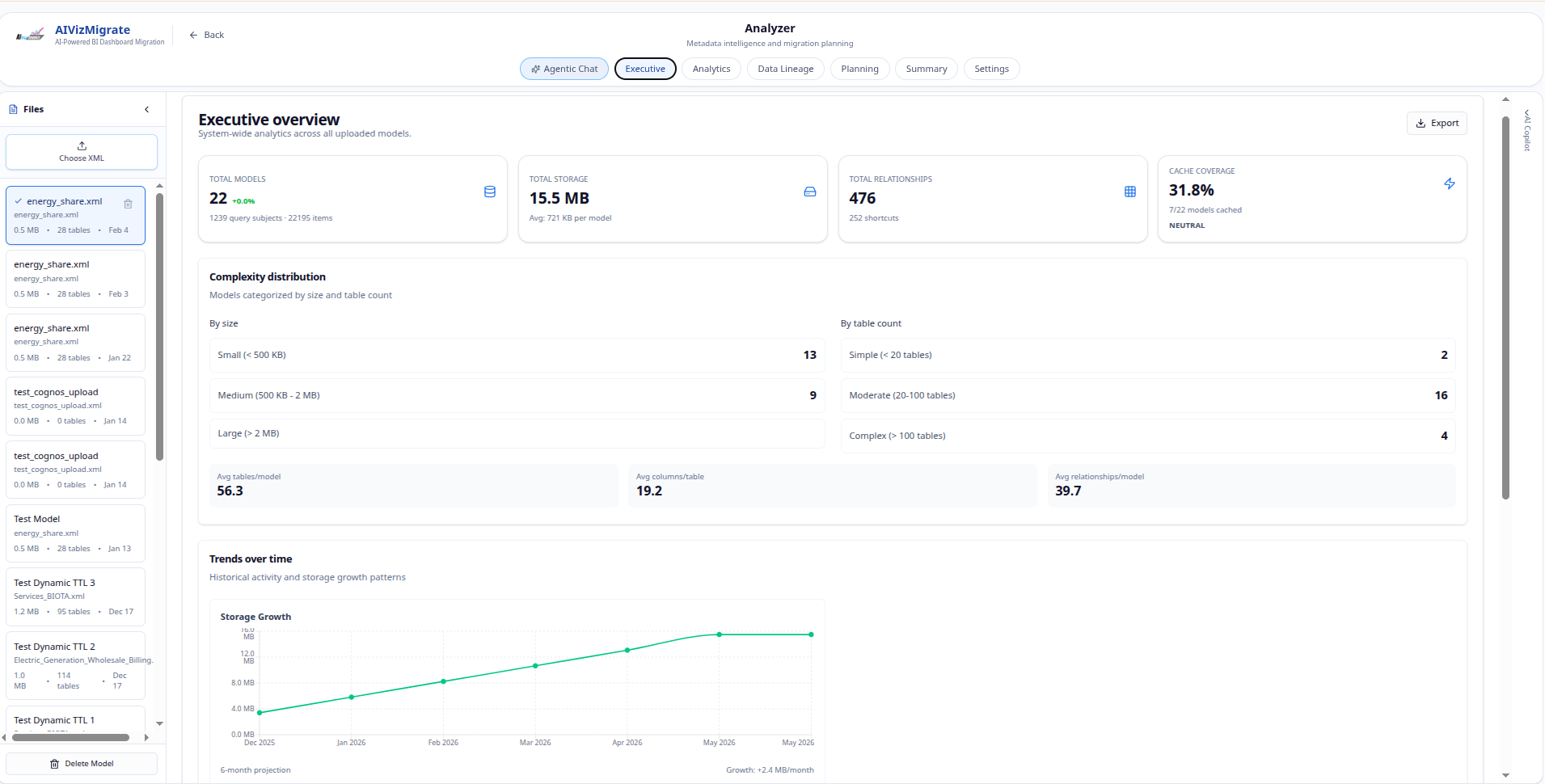
Cognos analyzer overview
A project-level view for inspecting extracted Cognos migration inventory, execution status, and readiness signals.
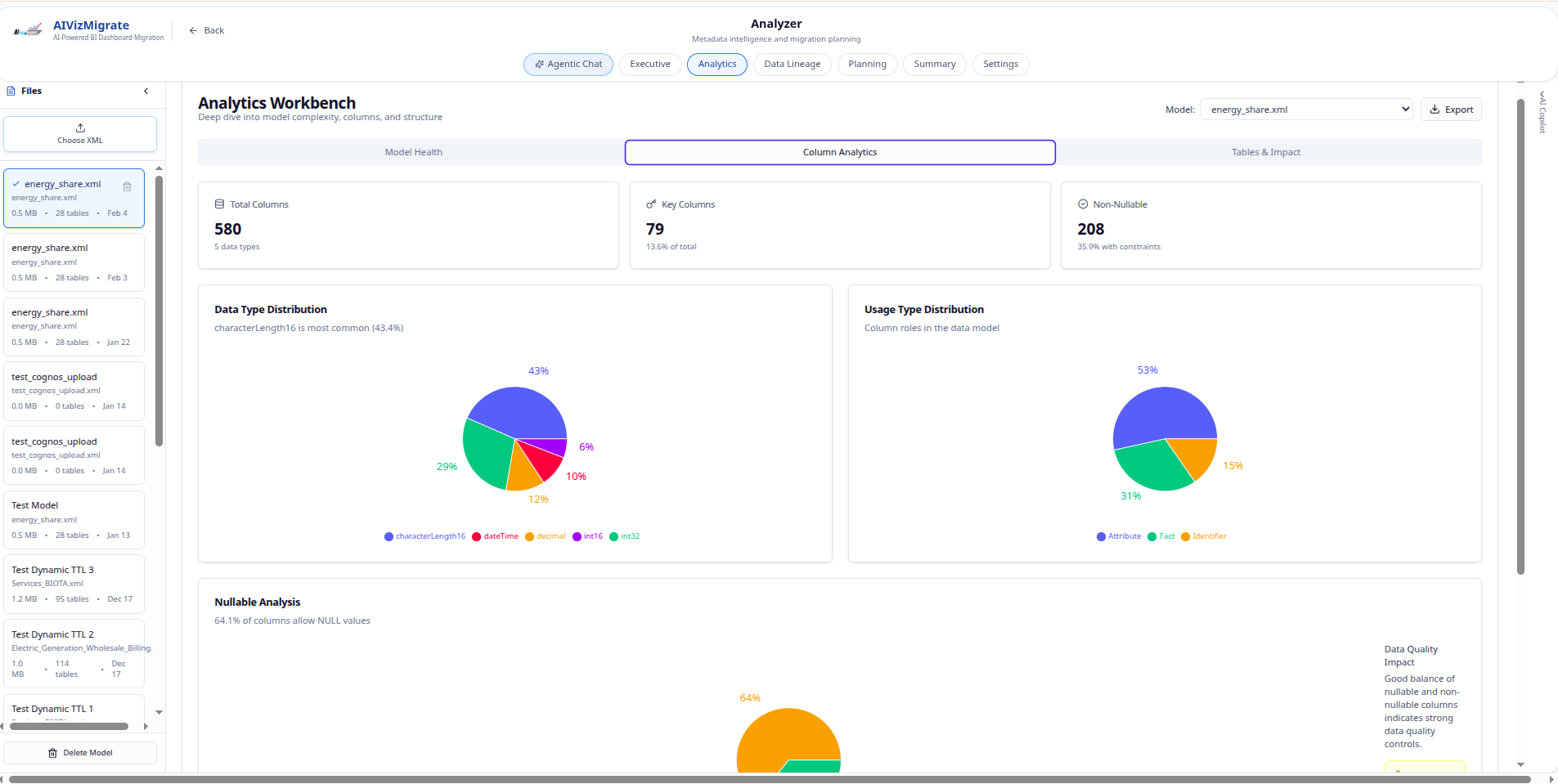
Cognos analyzer analytics
Analytics screens for understanding migration composition, activity, and operational trends.
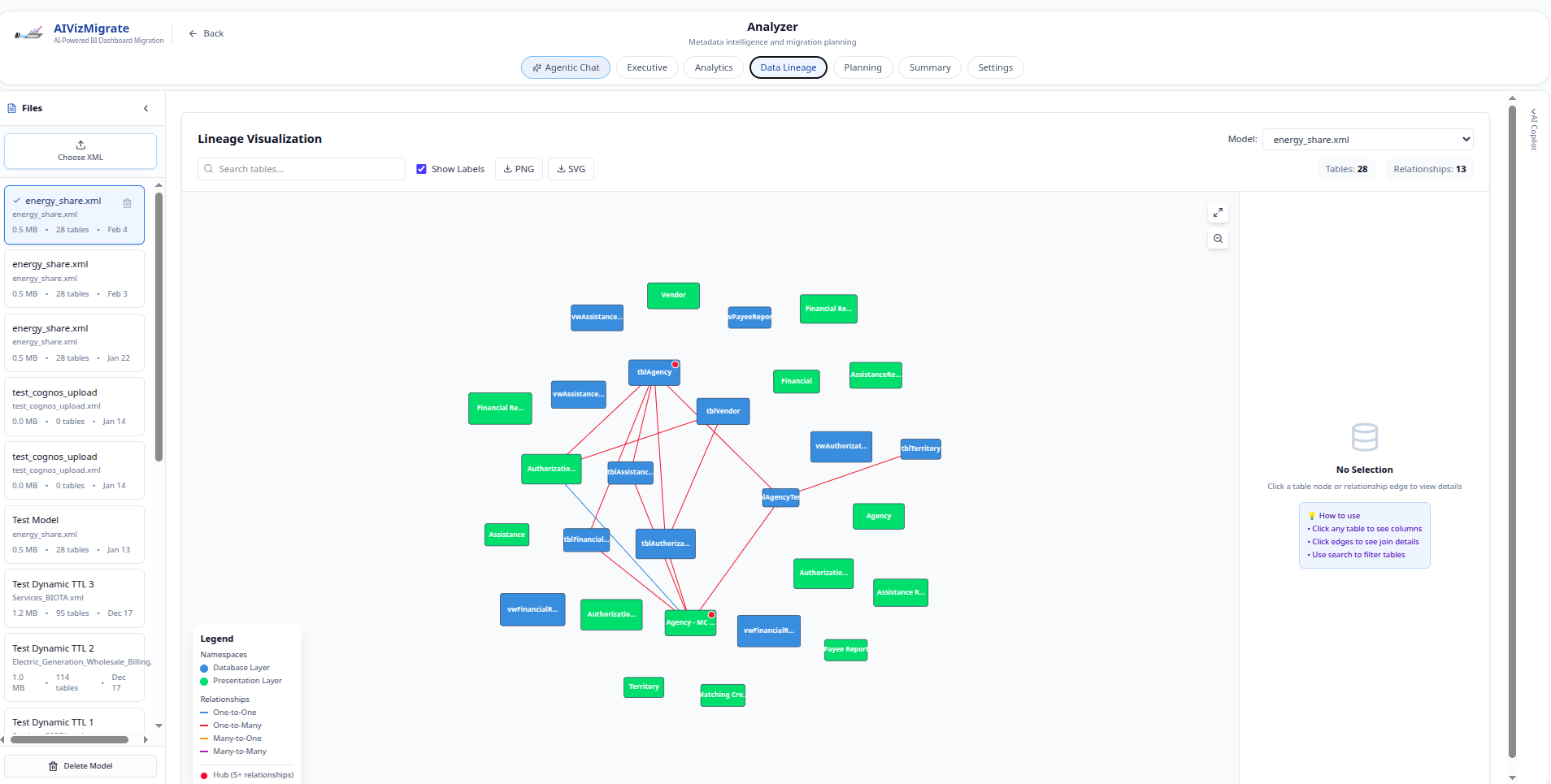
Cognos lineage explorer
Lineage-style exploration to make report dependencies and downstream movement easier to inspect.
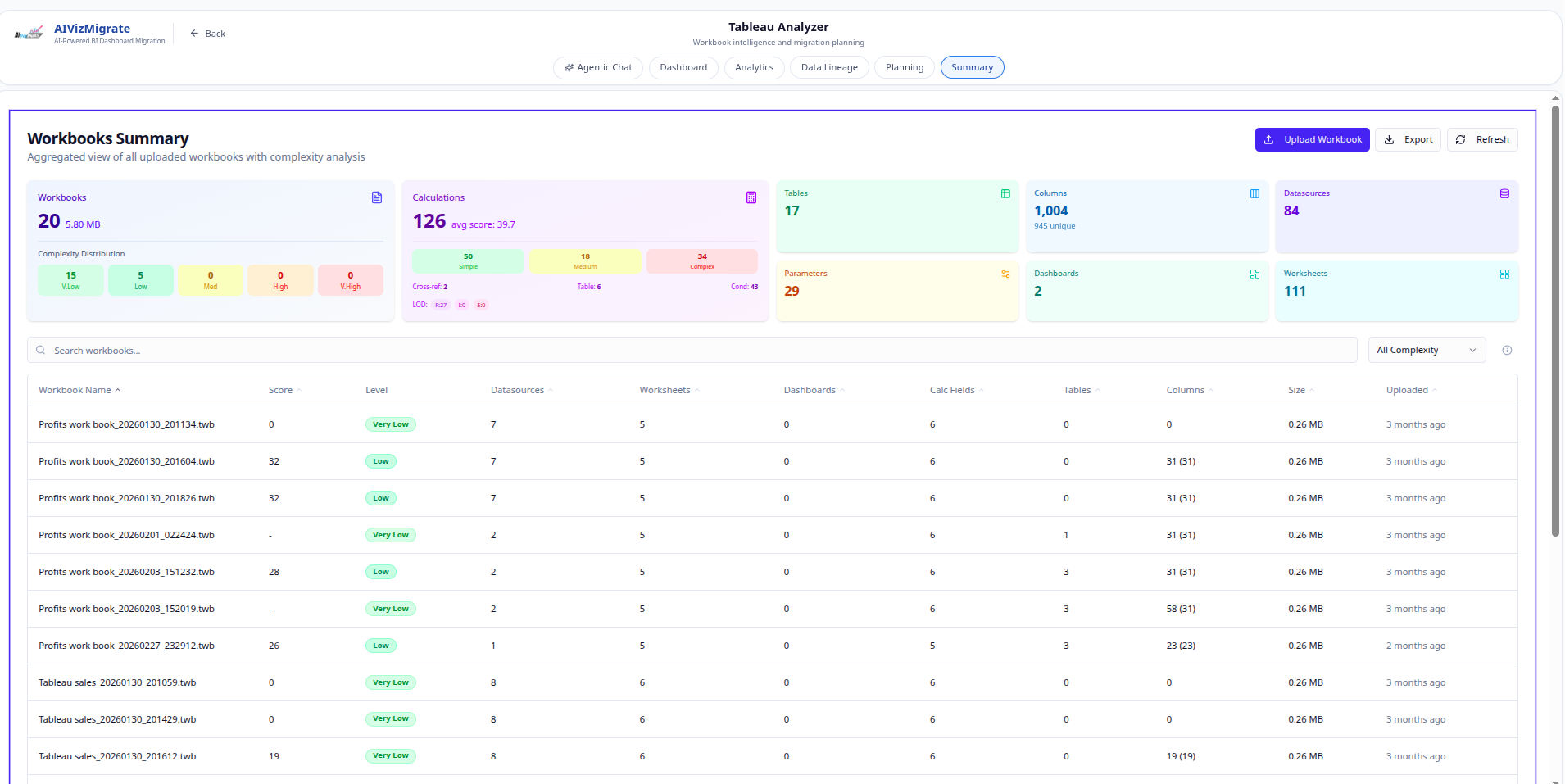
Tableau summary
A summarized migration view for Tableau assets, status groups, and cleanup attention areas.
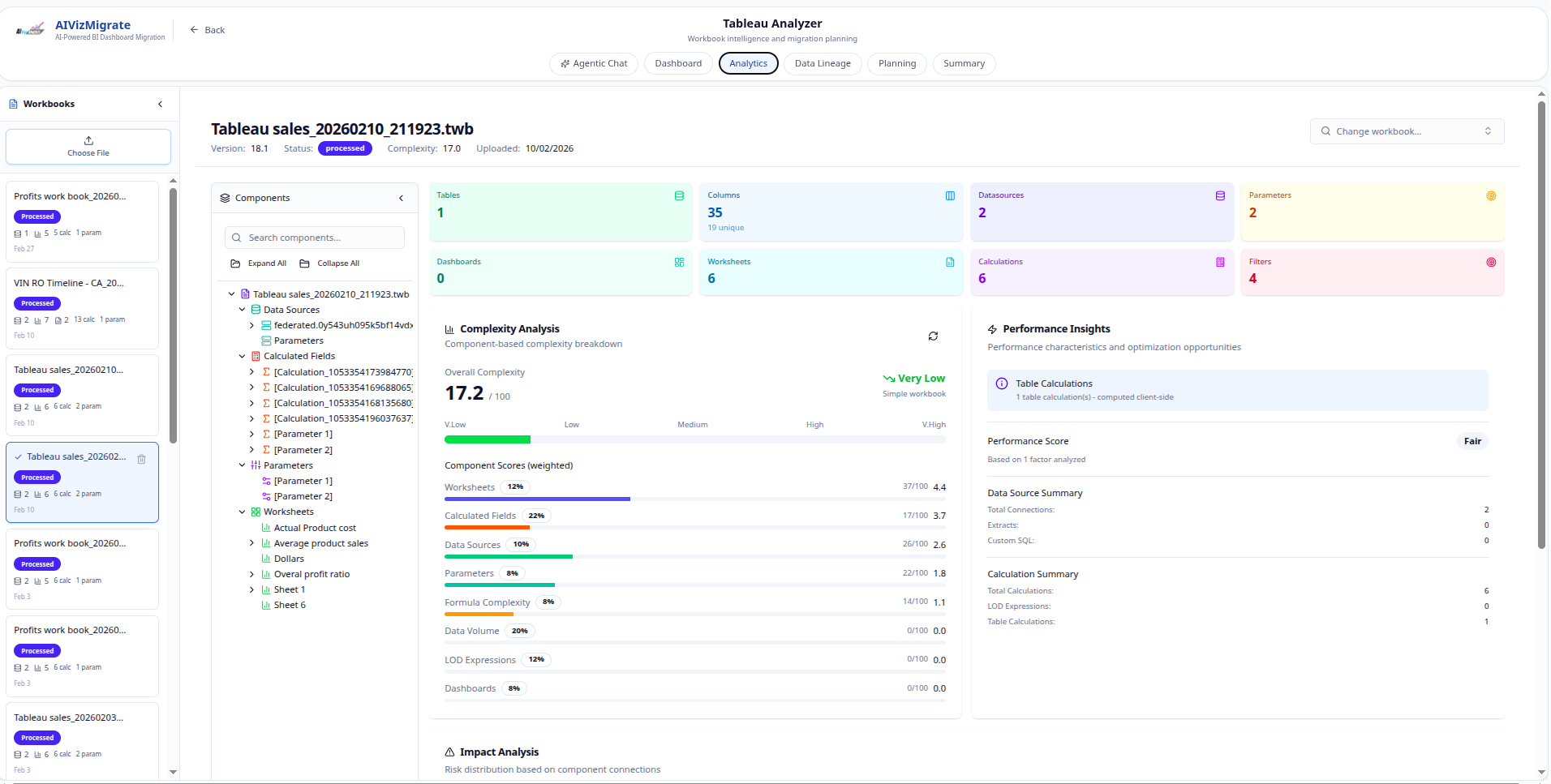
Tableau analyzer analytics
Dashboard analytics for Tableau migration intelligence, risk visibility, and team-facing program metrics.
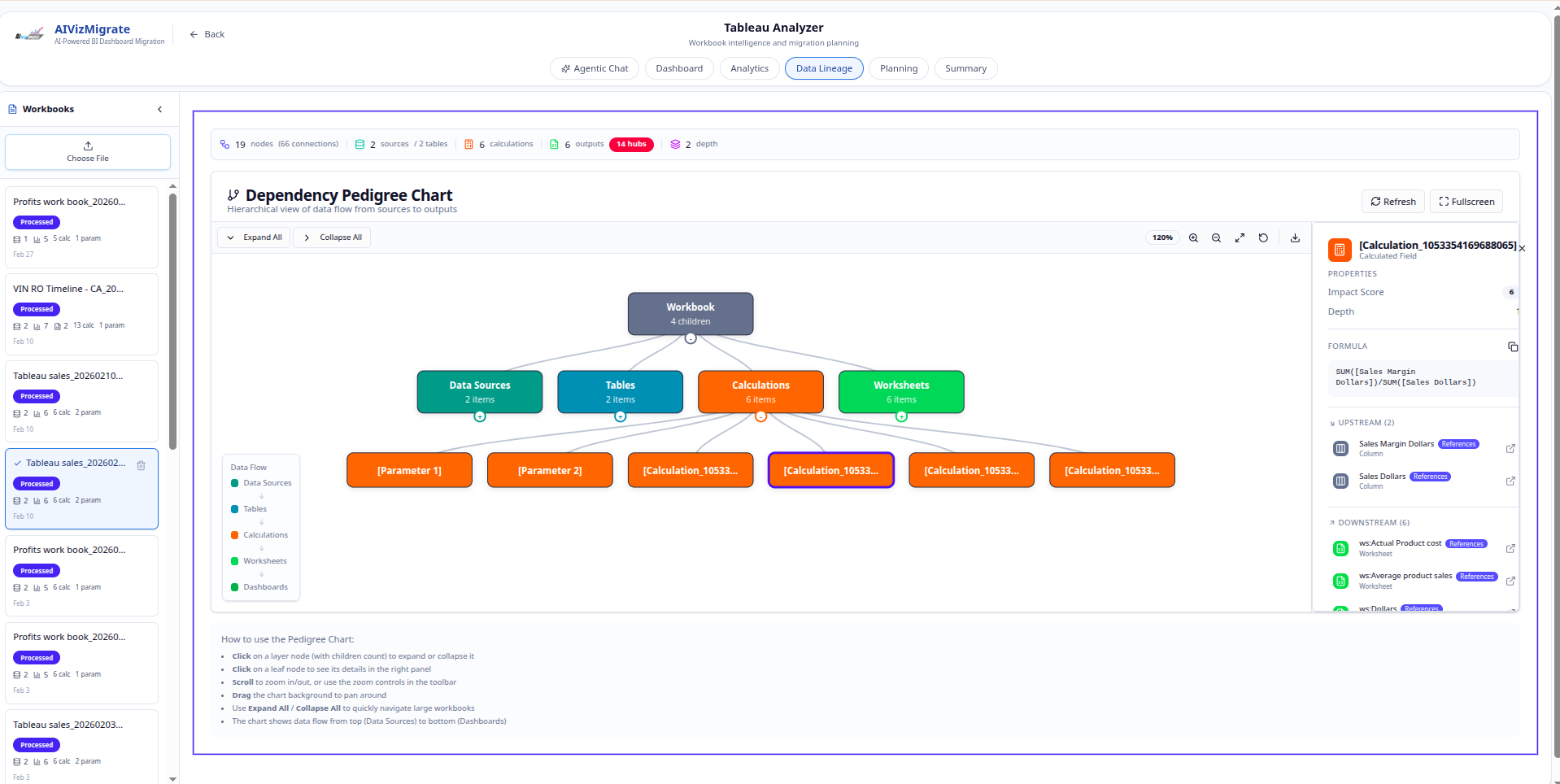
Tableau explorer view
An explorer-style interface for reviewing Tableau objects and supporting migration analysis work.
Outcome
A readiness extension for cleaner migration decisions.
The extension sat beside the migration effort as an inspection system: less guessing, more inspection, clearer cleanup work, and better visibility into readiness.
- Exposed migration inventory, owners, dependencies, and readiness signals in one explorer.
- Surfaced incomplete, risky, or inconsistent migration inputs before they slowed delivery.
- Turned cleanup and review work into visible monitoring statuses instead of scattered notes.
- Created a focused extension that could stand beside the core migration application operationally.
Reveal.js narrative
A slide-ready story backed by the analyzer screens.
The deck frames the migration narrative around the real project explorer, analytics, lineage, and monitoring views from the extension.
Similar problem?
Bring the migration or reporting work that needs visible status.
MLPOINT can turn scattered BI, reporting, or migration work into software teams can inspect, validate, and steer.